
How to Choose the Right Google Product Category for Your Products
How Google’s product taxonomy works, when to set the category yourself and how to pick the most accurate one.
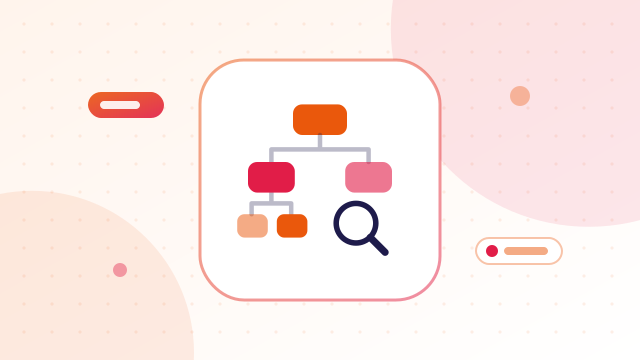
Every product in Google Shopping sits in a category from Google's own product taxonomy — a tree of thousands of categories such as Apparel & Accessories > Clothing > Dresses. The google_product_category attribute lets you choose that category yourself instead of leaving it to Google.
Do you still need to set it?
Google made the attribute optional because it now assigns a category automatically from your titles, descriptions and images. For most products the automatic choice is reasonable. Setting it yourself is still worthwhile when:
- Your products are unusual, new or easily confused with something else.
- Category-specific rules apply, such as apparel needing size and colour, or restricted categories like alcohol.
- Google has been choosing the wrong category, which you can see in your product details.
- You want consistency across a large catalogue.
How the taxonomy works
The taxonomy is a hierarchy. Each category has a full path and a numeric ID:
- Home & Garden > Kitchen & Dining > Kitchen Appliances > Pressure Cookers
You can submit either the full path or the ID in your feed. IDs are shorter and avoid problems with special characters and translations, so many shops use them.
How to choose the right category
- Describe the product plainly. What is it, at its most basic? "Stainless steel pressure cooker", not "Festival kitchen bundle".
- Search the taxonomy for that product type.
- Pick the most specific match. "Pressure Cookers" beats "Kitchen Appliances". Deeper categories are more accurate.
- Choose by what the product is, not who it is for or how it is sold. A gift set of mugs is still mugs.
- Use one category per product. If a product fits two, choose the one that describes its primary use.
google_product_category vs product_type
These are often confused. google_product_category must use Google's taxonomy. product_type is your own category path — whatever structure your shop uses, such as Kitchen > Cookware > Festival Offers. Product type is mainly useful for organising campaigns and reports. You can use both.
Common mistakes
- Stopping at a broad top-level category when a precise one exists.
- Inventing category names that are not in the taxonomy.
- Copying one category to the whole catalogue.
- Choosing a category based on a promotion or season.
Find the right category fast
Searching a list of thousands of categories by hand is slow. The free product category finder searches Google's official taxonomy and gives you the matching IDs and full paths. See how to find Google product category IDs for your feed. Then add the ID to your feed and check it with the feed validator.
Related guides
More free tools: browse all our free ecommerce tools, no sign-up needed.
Frequently asked questions
Is google_product_category required?
No, it is optional. Google assigns a category automatically, but you can override it for accuracy.
Should I use the category ID or the full path?
Either works. IDs are shorter and avoid formatting problems.
Does the category affect where my products appear?
It helps Google understand the product and apply the right rules, which supports accurate matching to searches.
How often does Google update the taxonomy?
Occasionally. Use the current version when you add new products.