SeoSpidie
See your site the way search engines do

Paste your page copy — or a live URL — to find your most repeated words and phrases. Works in any language.
Keyword density is the share of a text taken up by a particular word or phrase, usually shown as a percentage of all words. Years ago, some SEO advice recommended hitting a specific density. Modern search engines understand language far better and do not reward repeating a phrase; overdoing it reads badly and can be treated as keyword stuffing.
The measurement is still useful for a different reason: it shows what your text is really about. If the main topic barely appears, search engines and readers may not understand the page. If one phrase dominates unnaturally, the writing probably needs varying. Looking at the most frequent two- and three-word phrases is often more revealing than single words.
Density works best as a sanity check alongside reading the text aloud and comparing it with the pages that already rank for the topic.
Keyword density shows which words and phrases dominate a text. It is no longer a ranking formula, but it is a quick way to confirm a page is clearly about its topic — and to catch accidental over-repetition that reads badly.
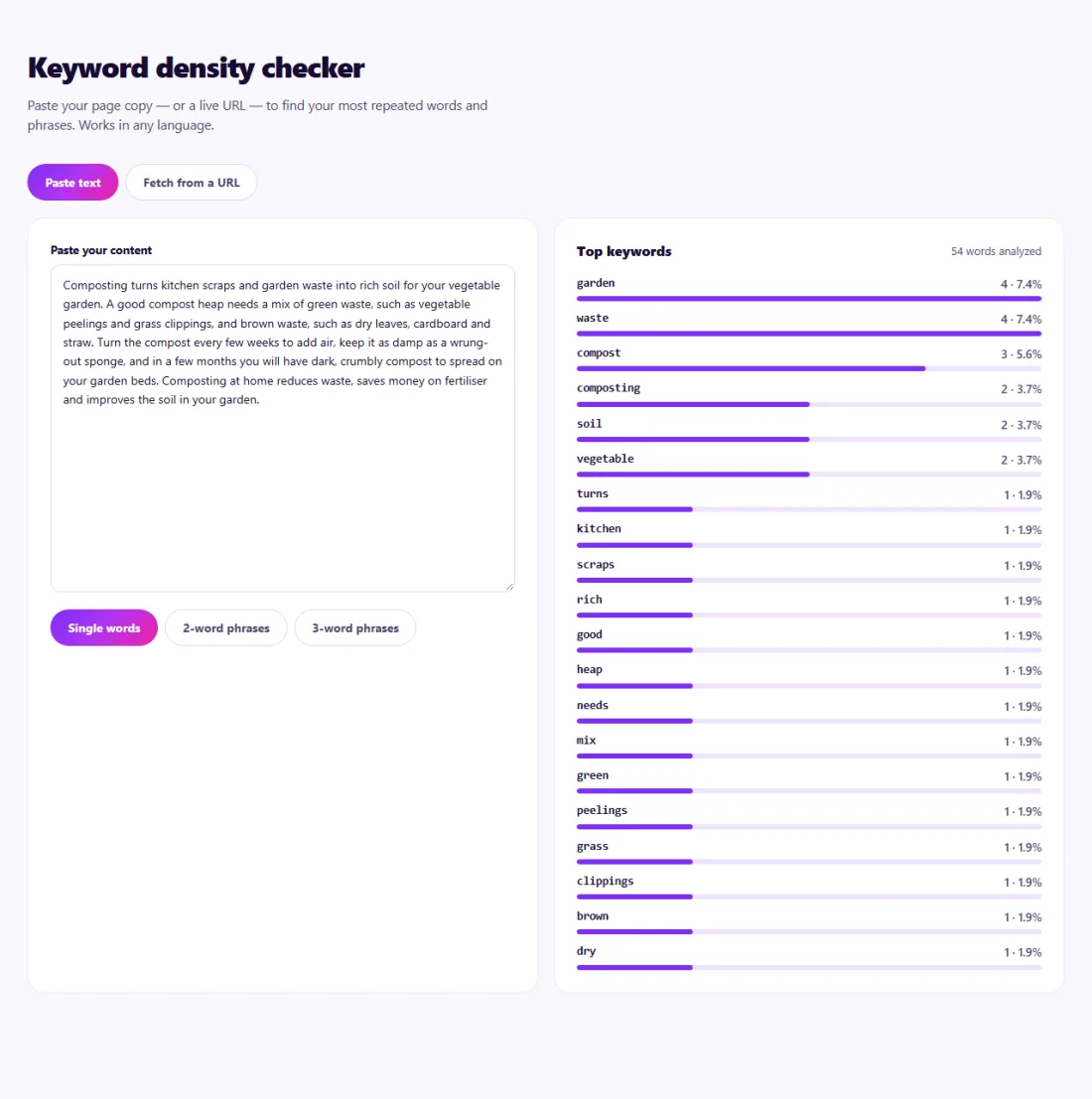
There is no ideal percentage. Check that the main topic and its close variations appear naturally — in the title, the first paragraph and a heading — and that no single phrase is repeated far more than normal writing would allow.
If the top phrases are unrelated to your topic — such as navigation words from a live page — paste only the main text for a cleaner picture.
An air-conditioning repair company in Dubai had a service page written years earlier under old SEO advice. Rankings had slipped, and visitors left quickly.
The Keyword Density checker showed the phrase "AC repair Dubai" repeated 34 times in 600 words, far more than normal writing. The owner rewrote the page around customer questions — common faults, response times, prices and warranty — using natural variations such as "air conditioner servicing" and "AC maintenance". The phrase now appeared a handful of times, the page read naturally, and enquiries from the page increased.
None in particular. Search engines understand topics and synonyms; repetition beyond natural use can hurt readability.
Common stop words are filtered out so the meaningful terms stand out.
SeoSpidie's server fetches the public page so its text can be analysed; pasted text never leaves your browser.
Repeating keywords unnaturally to try to rank higher. Search engines treat it as spam, and it makes text hard to read.
Yes. Natural writing uses synonyms and related phrases, which help search engines understand the topic.
Single words are often too general. Multi-word phrases show the topics your page really emphasises.
To read other websites, SeoSpidie's server fetches the public URLs you enter and sends the result back to your browser. We don't keep your reports or require an account. Text you paste stays in your browser. Fair-use limits apply to protect the service.
Yes. The Keyword Density Checker is free to use with no sign-up. SeoSpidie is supported by advertising.
 Search Intent ClusterGroup keywords by search intent and build smarter content strategies.
 Meta Tag GeneratorCreate optimized title, description, robots, and meta tags.
 SERP PreviewPreview how your page could appear in search results.
 Programmatic SEO GeneratorPlan scalable SEO pages and programmatic content structures.