
One Product Feed for Multiple Channels: Google, Facebook, Pinterest and More
How to manage one source of product data and export consistent feeds to every sales channel, without errors.
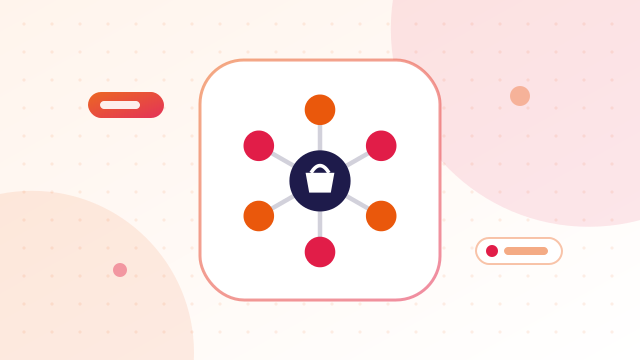
Selling on Google Shopping, Facebook and Instagram, Pinterest and Microsoft Shopping can multiply your reach. It can also multiply your work: four feeds, four sets of errors, and prices that drift out of sync. The fix is simple in principle — keep one clean source of product data and generate each channel's feed from it.
Why separate feeds go wrong
- A price changes on the website but only one feed is updated.
- A product sells out, yet still shows "in stock" on one channel.
- Titles and images differ between channels, confusing shoppers.
- Product IDs do not match, which breaks retargeting and reporting.
The fields most channels share
Google, Meta, Pinterest and Microsoft use very similar attributes:
id,title,descriptionlink,image_linkprice(with currency),availabilitybrand,gtin/mpn,conditionitem_group_id,size,colorfor variants
Small differences exist — accepted values, file formats, required extras — but about 90% of the data is the same.
How a single-source setup works
- Keep your website as the source of truth. Prices, stock and descriptions live on your product pages.
- Generate every feed from the same data at the same time, so they always match.
- Use the same product ID everywhere — website, feeds, tracking pixels.
- Host each feed at a fixed URL and let each platform fetch it on a schedule.
- Regenerate after changes to prices, stock or products.
Prepare the data once
- Validate barcodes with the GTIN validator.
- Write strong titles with the product title optimizer.
- Pick Google product categories with the category finder — Pinterest and Meta can use them too.
- Check images load with the image URL checker.
Generate all feeds together
The free multi-channel feed generator crawls your store once and exports feeds for Google, Microsoft (Bing), Facebook and Instagram, Pinterest and other channels from the same product data. For channel-specific setup, see Merchant Center feed requirements, how to create a Facebook catalog and how to create a Pinterest catalog.
Channel differences to watch
- Accepted values — availability may be written
in_stockon one channel andin stockon another. - File formats — some channels prefer XML, others CSV or TSV.
- Required extras — apparel needs size, colour, gender and age group on Google in many countries.
- Policies — each platform restricts different product types.
- Image rules — Pinterest favours vertical lifestyle images; Google wants clean product shots for the main image.
A good setup keeps one master data source and handles these differences in each export, rather than maintaining separate product lists.
A worked example
A home decor store with 180 products kept its prices only on the website and uploaded feeds by hand. During a Diwali sale, the website showed sale prices while the Facebook feed still showed regular prices, and Merchant Center disapproved 40 products for price mismatches. After switching to one crawl that generated every feed together each morning, sale prices appeared everywhere at once and the mismatches stopped.
Related guides
More free tools: browse all our free ecommerce tools, no sign-up needed.
Frequently asked questions
Can I upload my Google feed to Facebook?
Often yes, because the fields are similar, but check Meta's accepted values for availability and condition.
How often should multi-channel feeds update?
At least daily if prices or stock change. All channels should update from the same data.
Should product titles be the same on every channel?
Mostly. Small changes for a channel are fine, but the product must be described accurately everywhere.
Do I need different product IDs for each channel?
No. Using the same ID everywhere makes tracking and troubleshooting much easier.